
Boost Legal Practice Efficiency with Hands-Free Guidance: Meet uLaw Answer Bot’s "Click to Listen to the Response" Feature

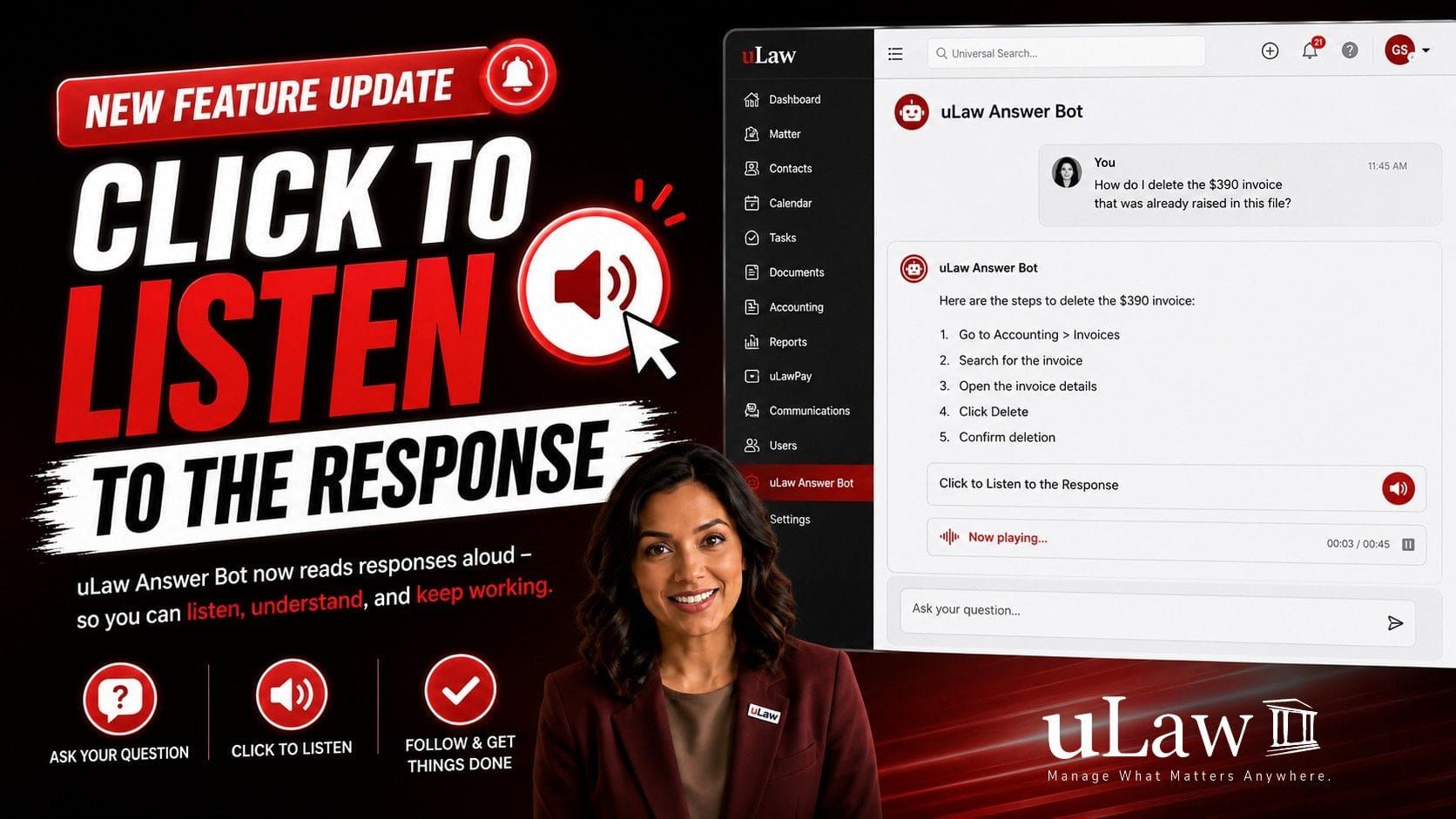
In a modern law firm, efficiency directly impacts profitability and client satisfaction. Yet, legal practitioners regularly battle a silent productivity killer: context switching.
Consider a typical scenario inside uLawPractice: You are navigating a matter file and realize a $390 payout entry was recorded in error. You need to delete the corresponding invoice while remaining compliant with Law Society bookkeeping guidelines.
Historically, executing an unfamiliar or complex software procedure meant stopping your momentum to read step-by-step written documentation or alt-tabbing back and forth between a help manual and your active workspace.
Every time a practitioner switches tabs to read a guide, read-adjusts their eyes to the dashboard, and searches for the right menu, cognitive friction builds up. uLawPractice changes this dynamic with "Click to Listen to the Response" for uLaw Answer Bot.
What is "Click to Listen" in uLaw Answer Bot?
uLaw Answer Bot is the AI-driven digital assistant embedded directly inside uLaw Practice. It provides instant, context-aware answers to help lawyers and paralegals navigate billing, trust accounting, matter setup, and compliance reporting.
The new Click to Listen functionality upgrades this experience into interactive, voice-guided When you ask uLaw Answer Bot a question such as "How do I delete a $390 invoice raised in this file?" you no longer have to read through the response manually. Clicking the Click to Listen icon triggers real-time audio playback, reading the exact step-by-step instructions directly into your headset or speakers.
Why "Click to Listen" is a True Game-Changer for Lawyers
1. Zero Context Switching (Continuous Focus)
With traditional help portals, your attention is divided. You read a sentence, try to memorize the click path, switch tabs, click the button, and tab back to read step two.
With Click to Listen, your visual field remains 100% focused on your active dashboard screen. The audio acts as a GPS voice navigation system for legal practice management, giving you the freedom to click options in real time as the instructions play.
2. Accelerated Resolution of Complex Accounting Tasks
Legal accounting especially managing retainers, trust transfers, disbursements, and HST adjustments requires strict precision. A single misstep can compromise compliance audit trails. Audio guidance allows legal professionals to verify every action as they execute it, sharply reducing error rates on sensitive financial procedures.
3. Rapid Onboarding for Legal Support Staff
When new paralegals, legal assistants, or administrative personnel join your firm, training them on legal management software takes time. uLaw Answer Bot with Click to Listen serves as a 24/7 interactive tutor, enabling junior staff to perform advanced procedures independently without constantly distracting senior partners.
4. Reduced Visual Strain & Cognitive Fatigue
Lawyers spend long hours staring at contracts, discovery documents, and court filings. Reading through user manuals adds unnecessary eye strain. Audio guidance provides visual relief, allowing you to consume procedural software support audibly while completing administrative work faster.
Summary of Benefits: Standard Help vs. Click to Listen
Work Smarter with uLaw Practice
Technology should strip away administrative burdens, not create them. By combining cloud legal practice management, automated trust accounting, and hands-free AI support, uLaw Practice enables sole practitioners and law firms to reclaim billable hours.
Try the Click to Listen feature inside your uLaw Practice workspace today and experience how voice-guided efficiency transforms your daily legal workflow.
👉 Book a Demo with uLaw Practice | Manage What Matters. Anywhere.