
How Voice AI is Eliminating Manual Data Entry in Contact Management

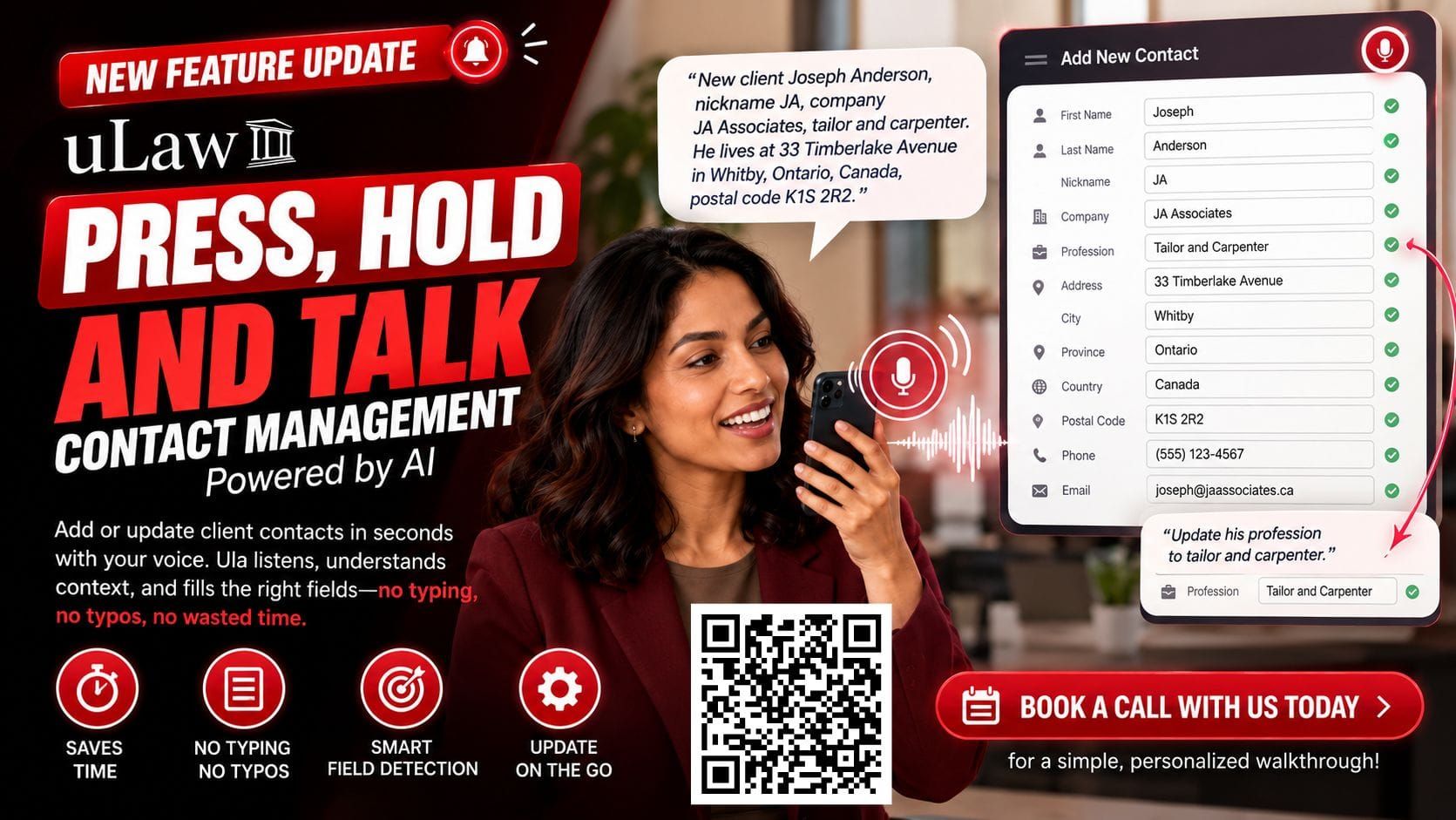
In fast-paced professional environments, time is one of your most valuable assets. Yet, professionals across industries spend countless hours every week doing repetitive administrative work: manually typing client details, copy-pasting addresses, and updating contact profiles field by field.
Manual data entry isn't just tedious it’s prone to human error, typos, and delayed follow-ups. What if adding a client profile to your system was as simple as having a quick conversation?
Enter uLaw’s "Press, Hold, and Talk" AI feature—a voice-driven contact management solution designed to turn hours of form filling into a seamless, hands-free experience.
The Problem with Traditional Contact Entry
For sales professionals, legal teams, contractors, and service providers, keeping contact records up to date is essential. However, the traditional entry process poses several friction points:
- Time Inefficiency: Manually populating first name, last name, company, occupation, address, and phone numbers line by line eats up valuable time.
- Typing Errors: Small mistakes in email handles or phone numbers can lead to lost leads or failed communications.
- Friction On-the-Go: Updating records while commuting or moving between client meetings is frustrating on a tiny smartphone keyboard.
How uLaw’s "Press, Hold, and Talk" Solves It
Instead of relying on rigid forms, uLaw leverages advanced contextual AI to process natural human speech into structured data fields instantly.
1. Instant Multi-Field Categorization
By simply holding down the microphone button, you can speak in a continuous sentence:
"Hey, I have a new client. His name is Joseph Anderson, nickname JA, his company is JA Associates, and he works as a tailor."
uLaw's AI parses the statement in real-time, categorizingFirst Name,Last Name,Nickname,Company, andProfession into their respective fields simultaneously.
2. Automatic Address & Contact Parsing
Dictating full addresses or contact details no longer requires pausing between fields. Speaking a phrase like"He lives at 33 Timberlake Avenue in Whitby, Ontario, Canada, postal code K1S 2R2" allows the system to recognize and isolate street names, cities, provinces, and postal codes automatically.
3. Real-Time Contextual Corrections
Unlike basic voice-to-text tools that dictate raw string text, uLaw understands context. If you stumble or need to update an entry, you don't need to manually clear text boxes. Simply dictate the update:
"By the way, he's not just a tailor—he's a tailor and a carpenter."
The AI recognizes the target field, inserts the appropriate formatting (such as commas), and updates the entry cleanly.
Transforming Daily Productivity
By integrating voice intelligence into contact management, teams can reduce administrative overhead, eliminate typing errors, and keep client databases accurate effortlessly.
Ready to see how uLaw can streamline your workflow?
Book a call with us today for a quick, personalized walkthrough of the platform!