
Listen to Your uLawBot Answers: A Faster and More Accessible Way to Get Information

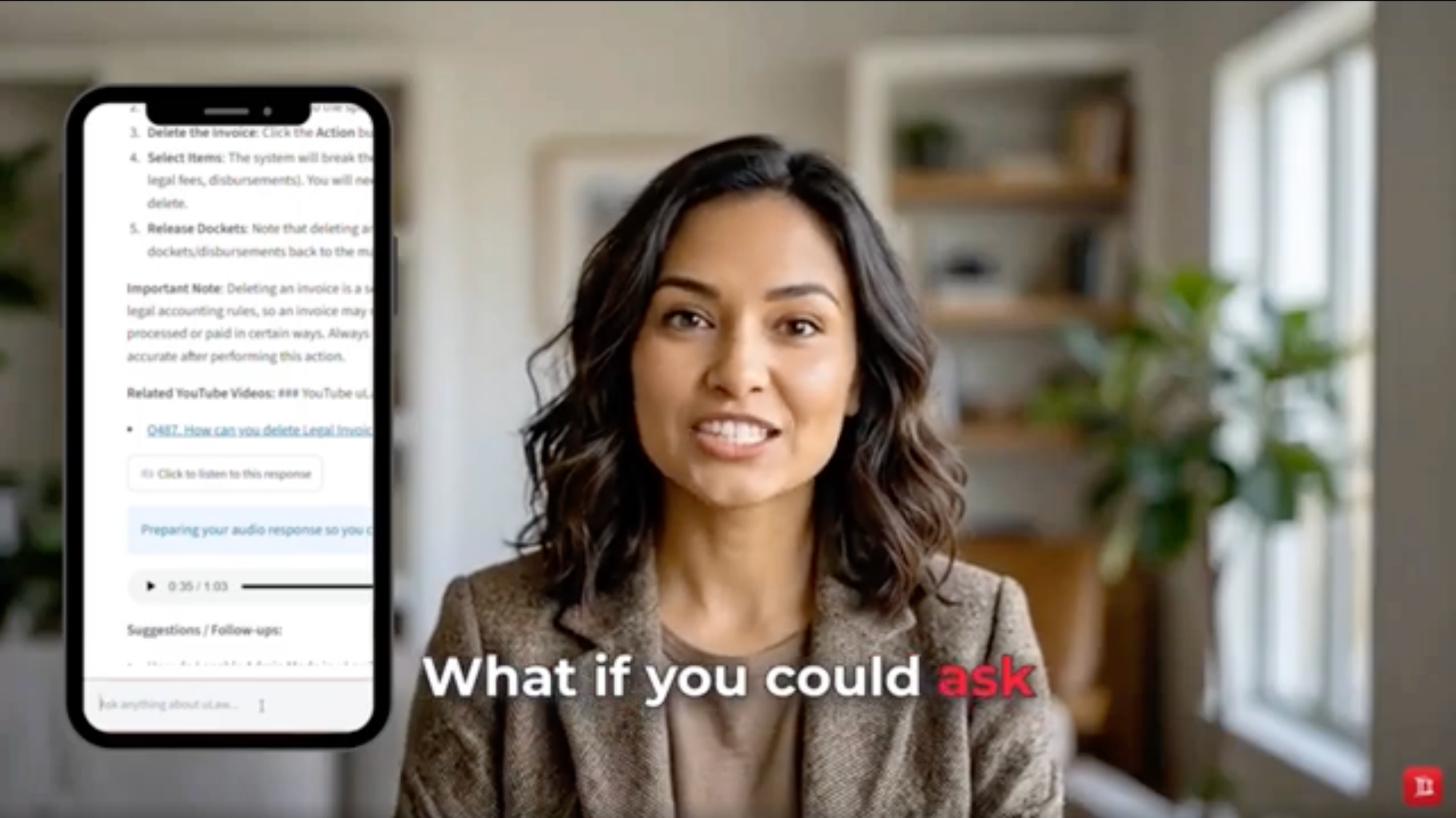
uLawBot helps legal professionals find information, understand software processes, and explore client and matter data using natural-language questions. Its listening feature makes these answers even more accessible by converting a complete response into audio that can be played directly from the uLawBot screen.
Instead of reading a detailed answer from beginning to end, users can select “Click to listen to this response” and hear the information spoken aloud.
More Than a Question-and-Answer Bot
As demonstrated in the uLaw Answer Bot and Matter Analytics overview, uLawBot can do more than provide general answers about using the software.
Users can ask uLawBot to:
- Explain how to complete a process in uLaw
- Provide step-by-step software instructions
- Find matching clients and associated matters
- Retrieve matter-related information
- Review financial details connected to a matter
- Suggest useful follow-up questions
For example, a user may ask which matters are associated with a particular client. uLawBot can identify matching client data, display the related matters, and suggest additional questions the user might want to ask.
A user may also request financial information about a matter, such as the amount of retainer funds remaining. uLawBot can retrieve the relevant information and present it in an organized response.
How to Listen to a uLawBot Answer
The uLawBot listening-feature demonstration shows how a generated answer can be converted into audio without leaving the uLawBot interface.
To use the feature:
- Open uLawBot.
- Enter your question in the message field.
- Submit the question and wait for uLawBot to formulate its response.
- Review the answer displayed on the screen.
- Select “Click to listen to this response.”
- Use the audio player to listen to the complete answer.
The written answer remains visible, allowing you to read along while listening or return to a particular section when needed.
Listen to Detailed Instructions
Some uLawBot answers may contain several steps, important notes, related resources, and suggested follow-up questions. The audio feature allows the entire response to be heard, including the details needed to understand the process.
For example, when answering a procedural question, uLawBot may provide:
- The area of the software that must be opened
- The matter or record that must be selected
- The actions required to complete the process
- Important accounting or compliance considerations
- Links to related instructional videos
- Suggestions for additional questions
Listening can make this information easier to absorb, particularly when the answer is long or contains several steps.
Read and Listen at the Same Time
The audio feature does not replace the written response. It provides another way to use it.
Users can:
- Listen to the complete answer
- Read along while the audio plays
- Pause the recording to examine a step
- Replay information that requires additional attention
- Keep the written response available for reference
Combining audio with written text can be particularly helpful when reviewing detailed software instructions or financial information.
A More Accessible Experience
People process information in different ways. Some prefer reading, while others understand information more easily when it is spoken aloud. Some benefit most from using both formats together.
The listening feature can be useful for:
- Users who prefer audio over long passages of text
- People with visual impairments or reading difficulties
- Users reviewing a detailed answer while performing another task
- Legal professionals who want to hear instructions before carrying them out
- Anyone who wants a more flexible way to interact with uLawBot
Because the audio plays within the uLawBot screen, users do not need to copy the response into a separate text-to-speech application.
Continue the Conversation with Follow-Up Questions
uLawBot may present suggested follow-up questions after answering the original request. These suggestions help users explore a subject in more detail.
After listening to an answer, a user can ask another question to:
- Clarify an instruction
- Request additional details
- Explore information about a client or matter
- Review another software process
- Investigate related financial or accounting information
Each new answer can then be reviewed in writing or played as audio.
Why This Feature Matters
Legal software can contain complex processes and detailed information. uLawBot brings that information into a conversational interface, while its listening feature gives users another way to understand and review the results.
The experience is straightforward:
Ask a question → Receive a detailed answer → Select the listening option → Hear the complete response → Ask a follow-up question
By combining natural-language questions, matter analytics, guided instructions, and audio playback, uLawBot creates a more flexible way to work with information inside uLaw.
Important Reminder
Users should verify client, matter, accounting, and procedural information before acting on it. Sensitive legal or financial processes may be affected by the status of a matter, completed transactions, accounting requirements, or other circumstances.
uLawBot is designed to assist users by providing information and guidance. Its responses do not replace professional judgment, proper accounting review, or legal advice based on the specific circumstances of a matter.
Start Listening to uLawBot
To try the feature, ask uLawBot a question and wait for the completed response. Then select “Click to listen to this response” to hear the answer directly from the uLawBot screen.
Whether you are learning a software process, reviewing client and matter information, checking financial details, or exploring follow-up questions, uLawBot lets you choose the format that works best for you: read the answer, listen to it, or do both.
#uLawBot #LegalTech #TextToSpeech #AudioAnswers #Accessibility #LegalInformation #AI