
Speak Your Client Details: Introducing uLaw’s Press, Hold to Talk Feature

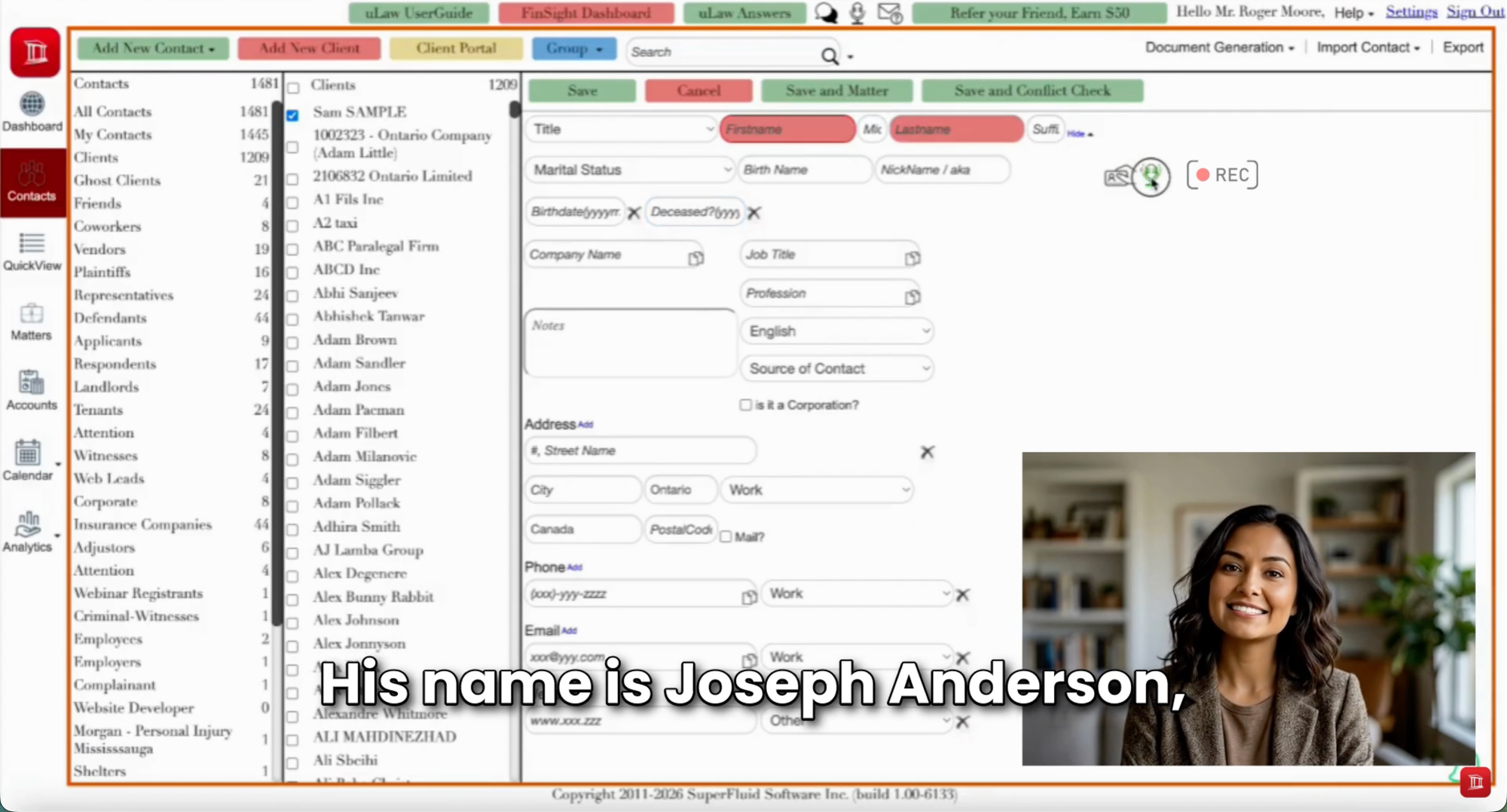
Creating a client record is an essential part of running a legal practice, but entering each detail manually takes time. Names, addresses, and contact information all need to find their way into the right fields before you can move on.
uLaw’s Press, Hold to Talk feature offers a more convenient way to capture that information: simply say it aloud. Instead of typing each detail and moving between individual fields, you can speak naturally and let uLaw populate the corresponding fields.
How Does Press, Hold to Talk Work?
The process is straightforward. When entering a client in uLaw, press and hold the microphone button and speak the client’s details. uLaw uses that spoken information to fill in the relevant parts of the client record.
For example, you might say:
“The client’s name is Alex Morgan. Alex lives at 25 Maple Avenue in Toronto, Ontario.”
The idea is to describe the client’s information naturally, without having to type it one field at a time. Once the information appears, review it, make any necessary corrections, and save the record.
Less Typing, Less Clicking
Traditional client entry involves a series of small, repetitive actions: select a field, type a value, move to the next field, and repeat. Press, Hold to Talk reduces that manual work by allowing you to provide multiple details through speech.
You still activate the microphone and review the completed information, but the data entry itself becomes more conversational. It’s a useful option when you want to capture details quickly or prefer speaking to typing.
Make Review Part of the Process
Voice entry makes capturing information easier, but a quick review remains an essential step. Before saving, check that names, addresses, and other details have been captured correctly and placed in the appropriate fields.
Pay particular attention to unusual spellings, numbers, and postal codes. Speaking clearly and checking the result helps keep your client records accurate from the start.
A Simpler Start to Client Intake
Client intake sets the foundation for the work that follows. By reducing repetitive typing and clicking, uLaw’s Press, Hold to Talk feature makes creating a client record more convenient.
The next time you add a client, give your keyboard a break: press, hold, and talk. Then review, save, and get on with your day.
#uLaw #LegalTech #VoiceToText #ClientIntake #LegalPracticeManagement #LawFirmProductivity #LegalInnovation #PressHoldToTalk